# Secure workspaces, Search and Flux1 Kontext!

We've started out the summer with a great set of updates!&#x20;

### Search made easy! <a href="#r1bx4zntk5c5" id="r1bx4zntk5c5"></a>

Now you can search for all public and team workflows in a jiffy! Just hit the “Explore” button at the top and search for your workflows by name, workspace, and type of workflow.

{% @arcade/embed flowId="kK41pV4y8o39rRH2kp5e" url="<https://app.arcade.software/share/kK41pV4y8o39rRH2kp5e>" %}

### Workspace more secure <a href="#id-2ybz7ns21288" id="id-2ybz7ns21288"></a>

You can’t access a workflow if you aren’t added to the workspace! This makes Workspaces more secure especially if you are using secret keys.

![](/files/wXXIdCBT0jWXsKKiuKbc)

### Build a voice+SMS agent in minutes! <a href="#id-42nbvhaemfrz" id="id-42nbvhaemfrz"></a>

Don’t miss this quick tutorial from our CEO, Sean Blagsvedt. With GPT4o-audio, we can capture a user conversation and send out a summary via SMS! You can build a voice agent in less than 10 minutes:

{% embed url="<https://www.loom.com/share/24830913661340c8beb7b31e6b2cc2fb?sid=4acca44f-8d96-4229-b61f-2064996b532e>" %}

### Added Flux1 Kontext \[pro] <a href="#lptchsfjgecd" id="lptchsfjgecd"></a>

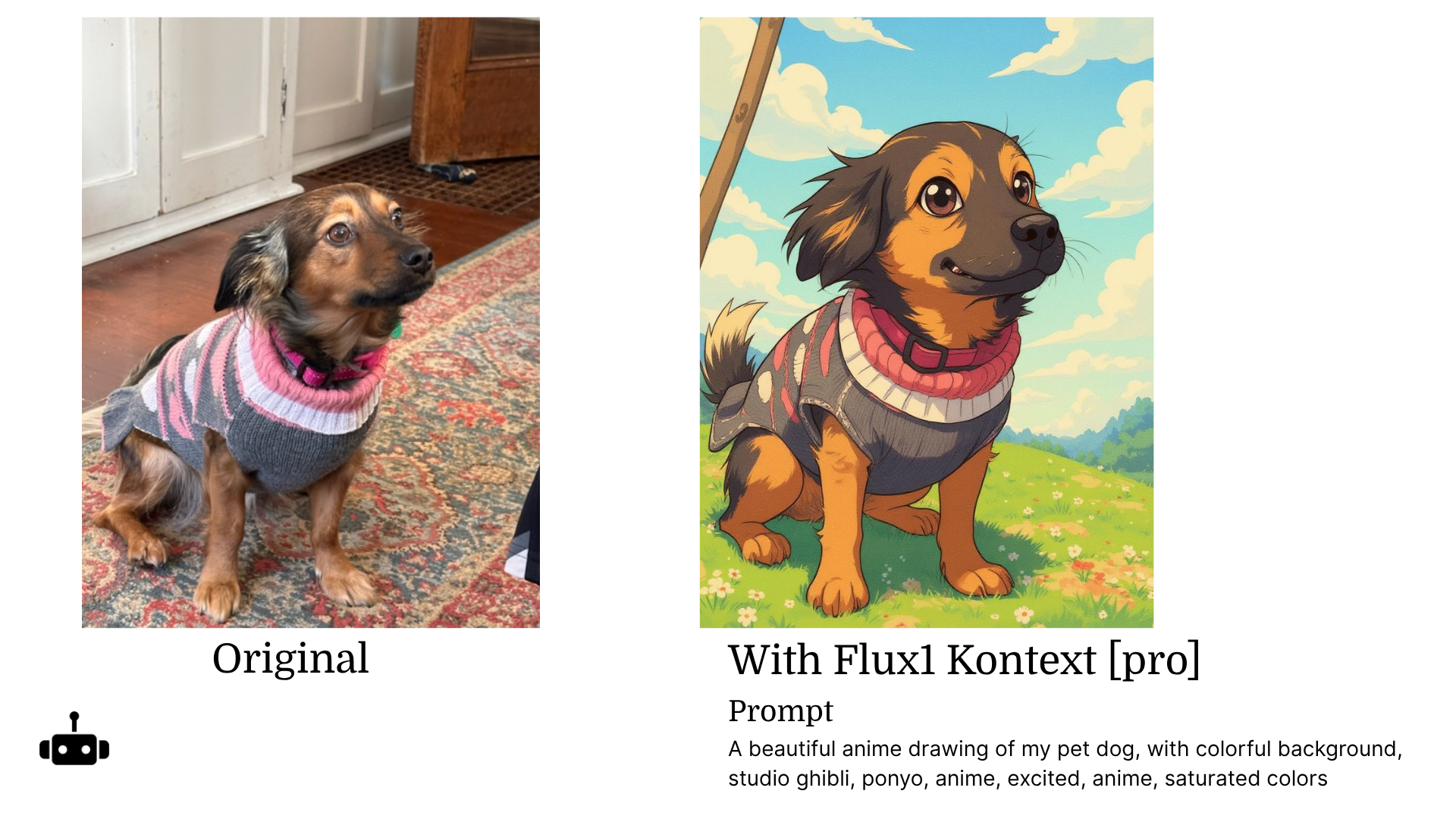
We updated Flux1 Kontext \[pro] in our “Edit an Image” Workflow. You can use text prompts to edit any image you have.

{% embed url="<https://gooey.ai/ai-photo-editor/flux1-kontext-pro-edit-your-image-31816jgvdx30/>" %}

![](/files/37K2rRjFT7Ifddm9e3hX)

{% embed url="<https://gooey.ai/ai-photo-editor/flux1-kontext-pro-edit-text-in-an-image-with-ai-nnrcl6mpf16o/>" %}

![](/files/SyL62S3BrXEkvE1YgwSu)

{% embed url="<https://gooey.ai/ai-photo-editor/cartoonify-your-dog-with-flux1-kontext-pro-ceano85e/>" %}

<figure><img src="/files/jtEiwOzFNXIjXiq4krfU" alt=""><figcaption></figcaption></figure>

{% embed url="<https://gooey.ai/ai-photo-editor/flux1-kontext-pro-replace-a-background-qww9bl8o3hqz/>" %}

![](/files/4Qt0c9mb2s8jCkGFmmMc)

Look out for:

* More amazing UI updates&#x20;
* Number cycling
* And a top secret release :shushing\_face:

---

# Agent Instructions: Querying This Documentation

If you need additional information that is not directly available in this page, you can query the documentation dynamically by asking a question.

Perform an HTTP GET request on the current page URL with the `ask` query parameter:

```
GET https://blog.gooey.ai/secure-workspaces-search-and-flux1-kontext.md?ask=<question>
```

The question should be specific, self-contained, and written in natural language.
The response will contain a direct answer to the question and relevant excerpts and sources from the documentation.

Use this mechanism when the answer is not explicitly present in the current page, you need clarification or additional context, or you want to retrieve related documentation sections.
